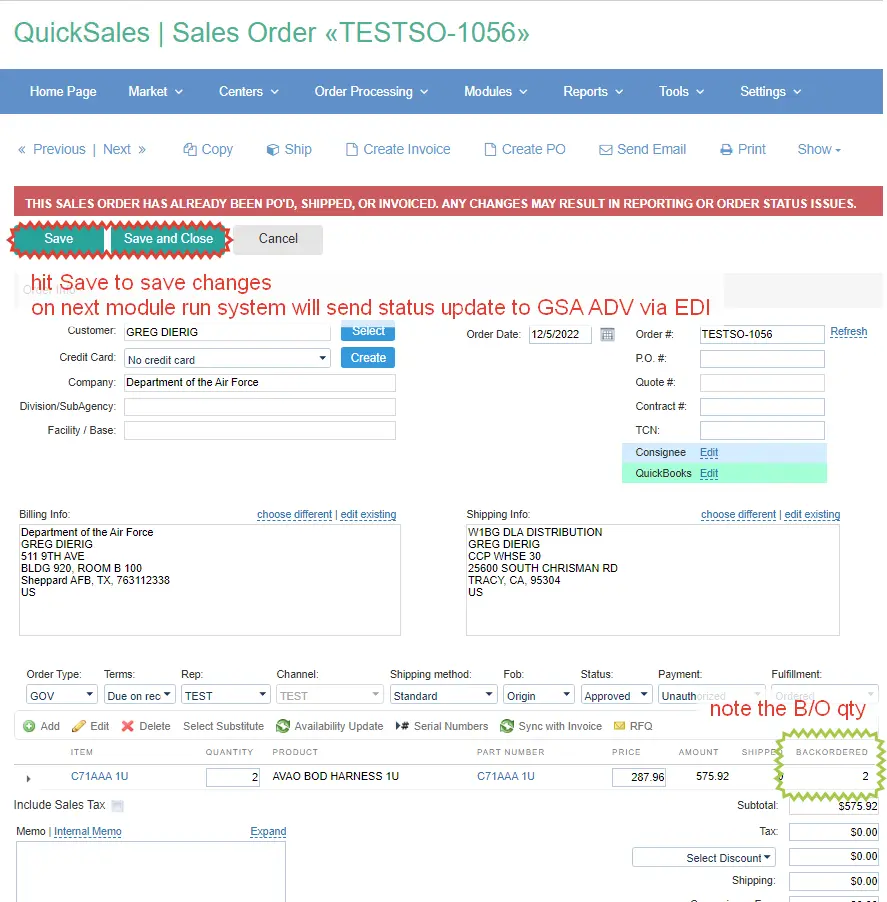
Backordered status is applied on item-level – this is how GSA ADV expects to receive updates.
If you shipped 6 out 10 ea, you are supposed to put remaining 4 ea on backordered status.
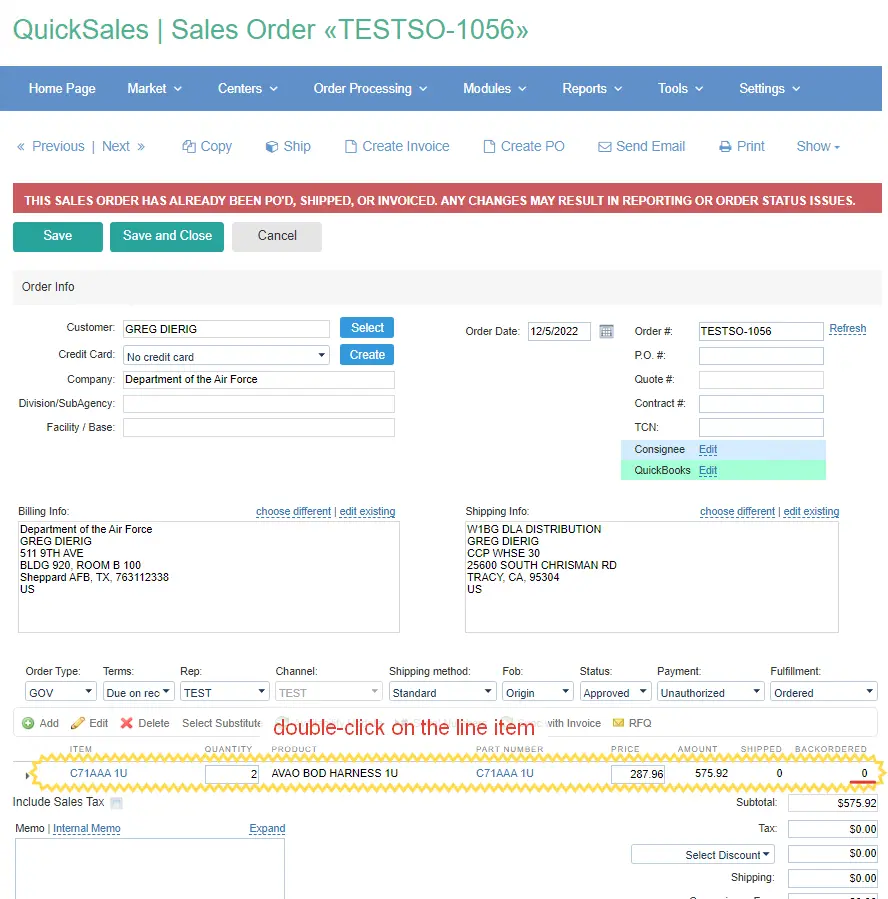
1) Please double-click on the line item to open product popup window:
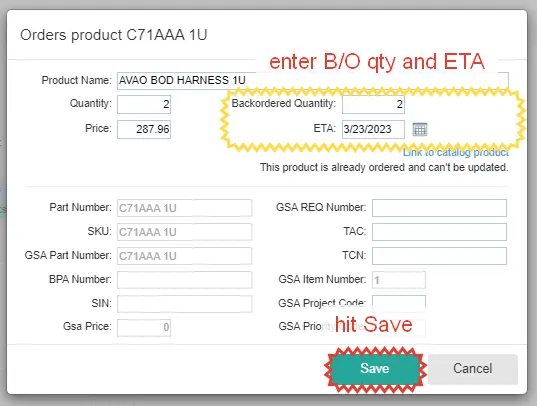
2) Fill in quantity that is backordered, provide ETA if any – and save product changes:
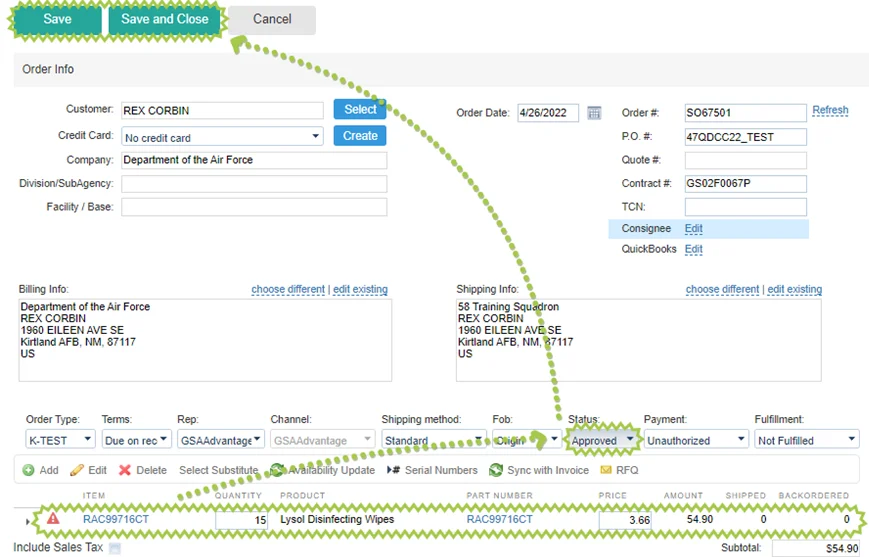
3) Save changes in your sales order and system will send status update to GSA ADV via EDI: